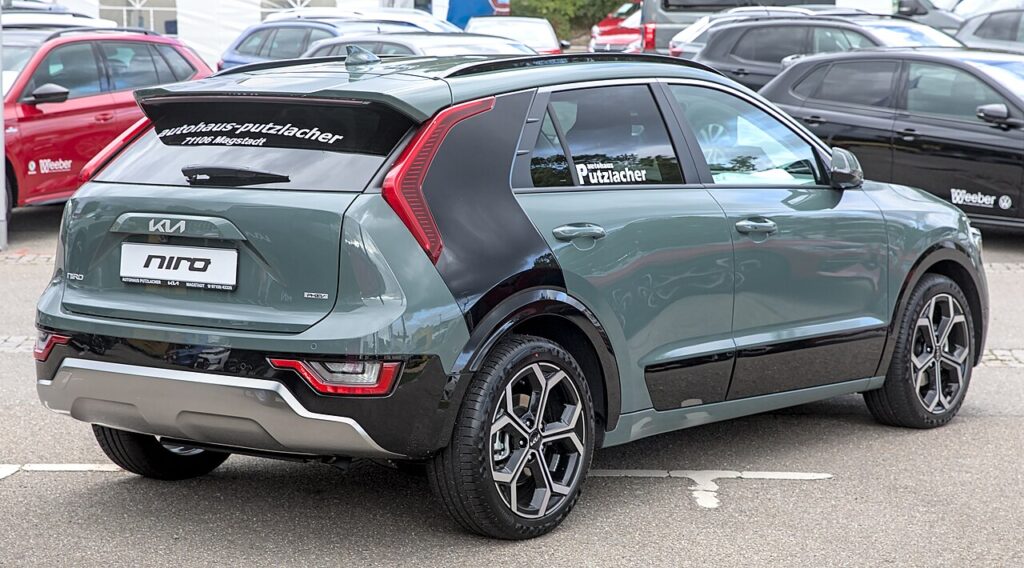
These instructions apply to the Kia Niro Mk2 (SG2) 2022-Present.
For other models, please choose your vehicle here.
The Kia Niro (Mk2/SG2, 2022–Present) — in hybrid, plug-in and full-EV form — keeps the motor-on-caliper Electronic Parking Brake from the first Niro. The EPB has no pads of its own; it is a piston that screws out against the regular rear pads. So before you renew those pads you must reverse the motor into pad-change state, and this guide covers how to do that properly on the SG2.
Why the SG2 Niro needs a scan tool for pad-change mode
On the second-generation Niro, pulling the EPB switch drives a motor on each rear caliper to push the piston out against the pads; Auto Hold and auto-apply-on-park use the same motors. Fitting thicker new pads means first running those motors backwards so the pistons are fully clear, then compressing them.
The SG2 has no owner button sequence for service mode. Kia and Hyundai do not provide a dash-only pad-change mode on this platform — the manufacturer-correct route is a scan tool (Kia KDS or a capable aftermarket EPB tool) on the OBD2 connector running the rear pad-replacement routine. Treat any “hold the EPB switch for three seconds” instruction you find online with suspicion; that is copied from other makes and does not put a Niro into service mode.
- Park on level ground, chock the front wheels, switch the ignition ON (drive disabled), turn AUTO HOLD off and release the EPB.
- Connect the scan tool to the OBD2 socket under the dash and select Niro / SG2 / EPB.
- Run the Pad Replacement / service routine; the rear motors run and the tool confirms the calipers are open.
- Raise the car, remove the rear wheels, wind each piston in with a proper tool, and fit the new pads.
- Reassemble, torque the caliper bolts to spec, then exit service mode through the tool.
Critical warning: never force the EPB pistons back by hand or with a G-clamp. The SG2 rear pistons sit on the parking-brake spindle and must be retracted electronically. Forcing them strips the spindle thread and can destroy the motor, turning a simple pad change into a caliper replacement plus a stored EPB fault that itself needs the scanner to clear.
Exit and bed-in: use the tool’s close-caliper step so the motors re-clamp onto the fresh pads, pump the brake pedal until firm, and cycle the EPB twice to confirm it holds and releases. Bed the pads with several gentle slow-downs from about 30–40 mph; because the hybrid and EV rely heavily on regenerative braking, make a few deliberate friction stops so the new material seats evenly.
Frequently Asked Questions
Is there a hidden button sequence for service mode on the Mk2 Niro? No. The SG2 has no factory owner sequence; you need a scan tool on the OBD2 port.
Does the EPB use separate pads? No — it presses on the normal rear service pads, so it must be retracted before any pad change.
What if I compress the piston without entering service mode? You risk shearing the spindle or burning the motor, and the EPB will then need the scanner just to clear the fault.
Can an independent garage do this? Yes — any workshop with a Kia-capable EPB scan tool can run the routine; it is a standard function, not dealer-only.
Why make extra friction stops on the EV when bedding in? Regen does most of the slowing, so the pads see little use; deliberate brake-pedal stops are needed to seat them.
If an EPB or ABS lamp stays lit after the job, read the stored code first at autodtcs.com to tell a harmless calibration message from a fault that needs the caliper revisited.
Independent guide — not affiliated with Kia. Always follow your official service manual and safety precautions. Read our full disclaimer.